Starting with gpui
A couple of papercuts when getting started with gpui, the UI framework powering Zed. These weren’t exactly specific to the framework, but more that gpui is a single crate that’s part of a monorepo representing an entire product, and its develpment is inexorably tied to Zed’s.
The grander takeaway, regardless of project or ecosystem, is that you’ll have a better time if you’re pulling different crates/packages from the same source, when they’re being developed in tandem.Installing from different sources
If you’re on macOS or Linux, and you want your text rendererd nicely, the crate README says you have to install another crate, gpui_framework. It allows for cross-platfrorm support without keeping the platform support code baked in with the UI framework. Separate your concerns, yeah? As a newish traveler to the Rust ecosystem, I tried to do some funny things which ended up not working. The listed example also assumed you were building in the monorepo, which isn’t on my todo list for today.
gpui = { version = "0.2.2" }
gpui_platform = { i-dont = "know", version = "0.1.0", features = [ "font-kit" ]}
gpui is published on crates.io, so I thought I’d pull that from there, and then get the supporting plaform crate from the monorepo, since it’s not been published. When I’m working on a project, I have a strong bias toward pulling in specific versions of underlying libraries to minimize the number of times the rug gets pulled out from under me, and this was even before supply chain attacks escalated.
But wait, how to install a specific crate from a monorepo using cargo?
Install one crate from a monorepo
name_of_just_the_one_crate = { git = "https://your-git-provider/org-name/repo-name" }
There’s no need to drill down to the crate in the git URL because cargo can match based on the name of the crate. Neat.
# Busted
gpui = { version = "0.2.2" }
gpui_platform = { git = "ssh://git@github.com/zed-industries/zed.git", version = "0.1.0", features = [ "font-kit" ]}
But, after I got gpui_platform pulled down, I was jammed up again. It turns out that the version of gpui on the base branch in GitHub has drifted from the published version (despite matching version numbers), as well as the platform support code. So, trying to get a simple example to even println! failed to pass typechecking for cryptic reasons. After figuring out that this drift was likely the source of my troubles, I changed my dependencies block to pull both crates from GitHub. But, what to do about pinning the versions to install? I like my rugs to stay in one place.
Specify a SHA to use
Each commit in git has a specific SHA. Cargo provides a faculty for specifying that SHA, so it downloads the same code, every time.
This is the dependecies block that ended up working for me:
gpui = { git = "ssh://git@github.com/zed-industries/zed.git", rev = "7759e9f93a96c3b474a739bb33a5c36606fc2ee5" }
gpui_platform = { git = "ssh://git@github.com/zed-industries/zed.git", rev = "7759e9f93a96c3b474a739bb33a5c36606fc2ee5", features = ["font-kit"]}
How to hello world
The README documents the first coding steps as:
use gpui::*;

fn main() {
    gpui_platform::application().run(|cx: &mut App| {
        // ..
    });
}
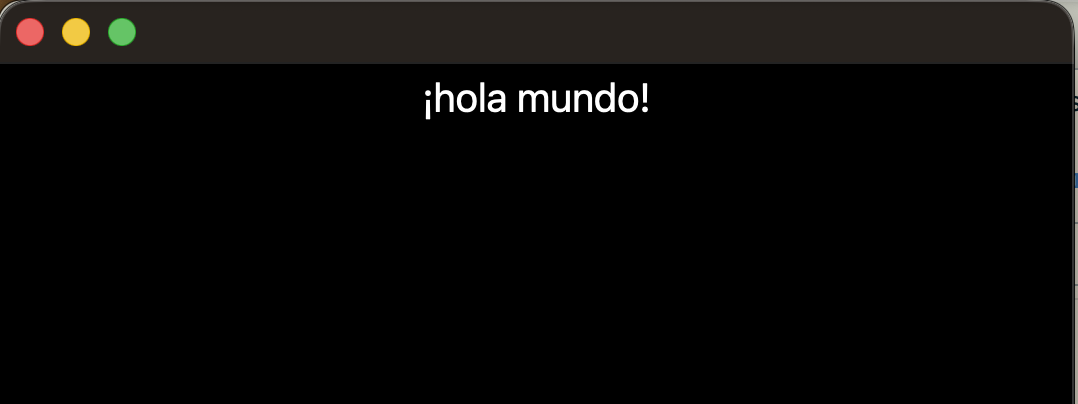
…and then…nothing. They’re working on the documentation, they say, and recommend going to read the source. I’m simple, I like to see the first bit of working code on the tin. If I was updating the README, here’s what I would put in its place.
use gpui::*;

struct HolaMundo;

impl Render for HolaMundo {
    fn render(&mut self, _window: &mut Window, _cx: &mut Context<Self>) -> impl IntoElement {
        div()
            .text_xl()
            .text_color(Hsla::white())
            .child(format!("¡hola mundo!"))
    }
}

fn main() {
    gpui_platform::application().run(|cx: &mut App| {
        cx.open_window(WindowOptions::default(), |_, cx| cx.new(|_cx| HolaMundo))
            .unwrap();
        cx.activate(true);
    });
}